Read any screen. In your language.
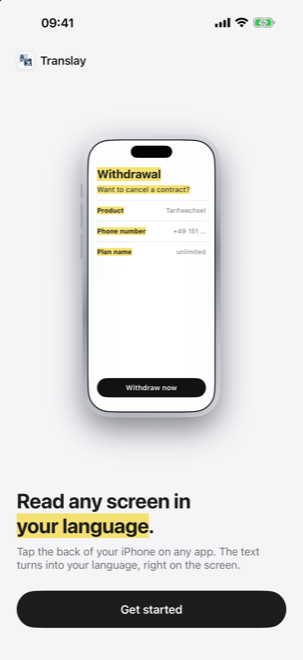
Double-tap the back of your iPhone in any app. Translay finds the text and puts the translation right where it was, all on your iPhone.

iOS 26 · 5 free translations · No ads · No account
HOW IT WORKS
Tap the back
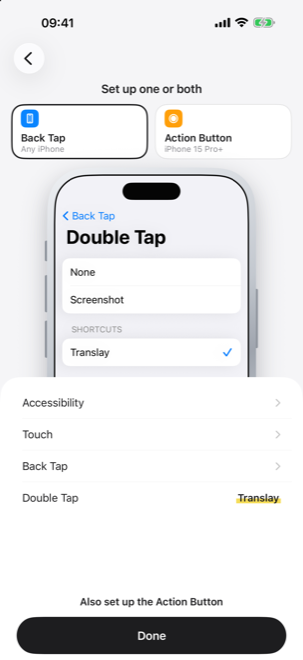
Add the Translay shortcut once and assign it to Back Tap or the Action Button. Then double-tap the back of your iPhone in any app.
Translated on your iPhone
Translay recognizes the text and translates it with the translation built into iOS. Nothing is uploaded, and once a language is downloaded it works offline.
Read, compare, keep
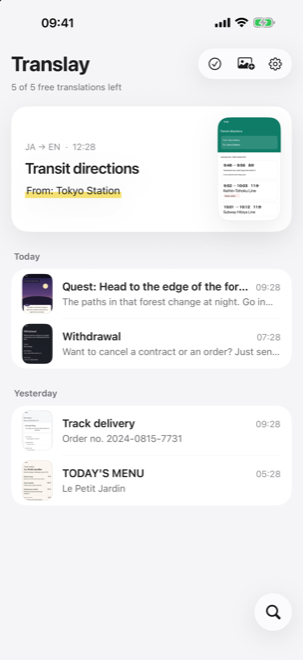
The translation sits where the original text was. Switch to the original any time. Every translation is saved in the app, with search.
FEATURES
The translation, in place
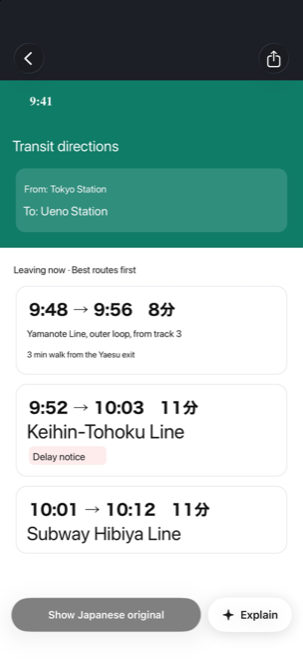
Translay measures every line of text and draws the translation in the same spot, at a size that fits. Menus, buttons and dialogs keep their layout, so the screen still makes sense at a glance.
20 languages
English, Chinese (Simplified and Traditional), Japanese, Korean, Spanish, French, German, Italian, Portuguese, Russian, Arabic, Thai, Vietnamese, Indonesian, Dutch, Polish, Turkish, Ukrainian and Hindi. Each language downloads once and then works offline.
Explain, with Apple Intelligence
On iPhones that support Apple Intelligence, Explain tells you what a screen means in plain words. It runs on the device and only appears where Apple Intelligence is available.
Nothing leaves your iPhone
Text recognition, translation and Explain all run on your iPhone. Translay has no server, no account, no ads and no analytics. Your screenshots stay yours.
APP PREVIEW
Translated in place
The translation appears right where the original text was
Back Tap setup
A step-by-step guide for Back Tap and the Action Button
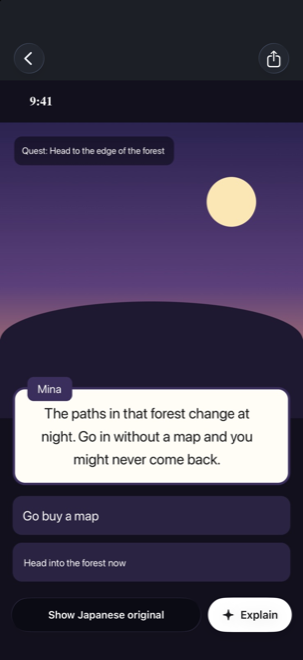
Games, menus, forms
Works on any screen with text
History
Every translation saved on your iPhone, with search
On your iPhone
Translated on the device, never uploaded
PRICING
Free
- 5 free translations
- 1 Explain
- Search the last 7 days
- All 20 languages
- On-device translation
Pro
- Unlimited translations
- Explain any screen
- Search your whole history
- Still nothing uploaded
The interface should be invisible.
Users should feel like they're using magic, not software.